TL;DR
- Most SaaS technical problems live in templates, so one fix can repair hundreds of pages.
- Start with what Google has actually indexed, then work backwards.
- Keep app, docs and staging subdomains out of the index unless they're meant to rank.
- Core Web Vitals pass at LCP 2.5 s, INP 200 ms and CLS 0.1, measured on real visits.
- Re-run the checklist after every migration, redesign or CMS change.
You can publish great content and still lose traffic to a robots.txt rule nobody remembers adding. On SaaS sites it happens constantly: a new docs subdomain, a redesign, a staging site Google found first.
This is the checklist I run first in every technical SEO project: six checks, in order of what usually costs the most, plus the reports to watch weekly so problems don't come back.
What is technical SEO, and why SaaS sites break it
Technical SEO is everything that lets search engines find, crawl, index and render your pages. Content decides whether a page deserves to rank. Technical SEO decides whether Google sees it at all.
SaaS sites break it in predictable ways. Marketing, product and docs often run on different stacks, owned by different teams, each with its own robots rules and templates. It's one part of SEO for SaaS that nobody owns end to end.
Rendering is the quiet one. If key text or links only appear after JavaScript runs, Google may index the page late or without them. Check a few key templates with the URL Inspection tool and compare the rendered HTML with what visitors see.
The technical SEO audit checklist
1Check what Google has indexed
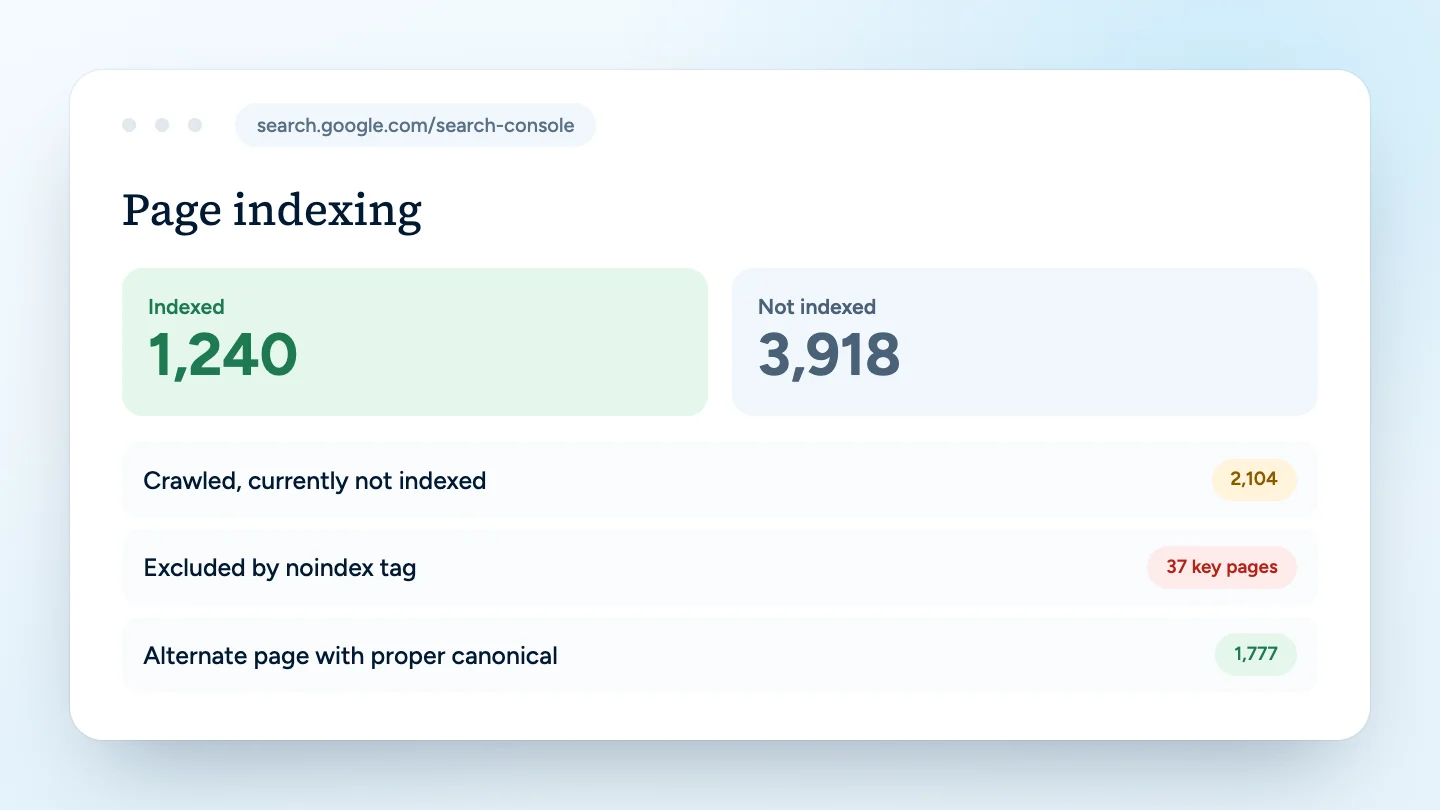
Open Search Console's Page indexing report and compare the indexed count with the pages you actually want ranked. A big gap in either direction is your first lead.
Read the reasons for excluded pages. "Crawled, currently not indexed" on key pages usually points to thin or duplicate content. "Excluded by noindex" on a money page is a bug.
2Fix robots.txt and noindex mistakes
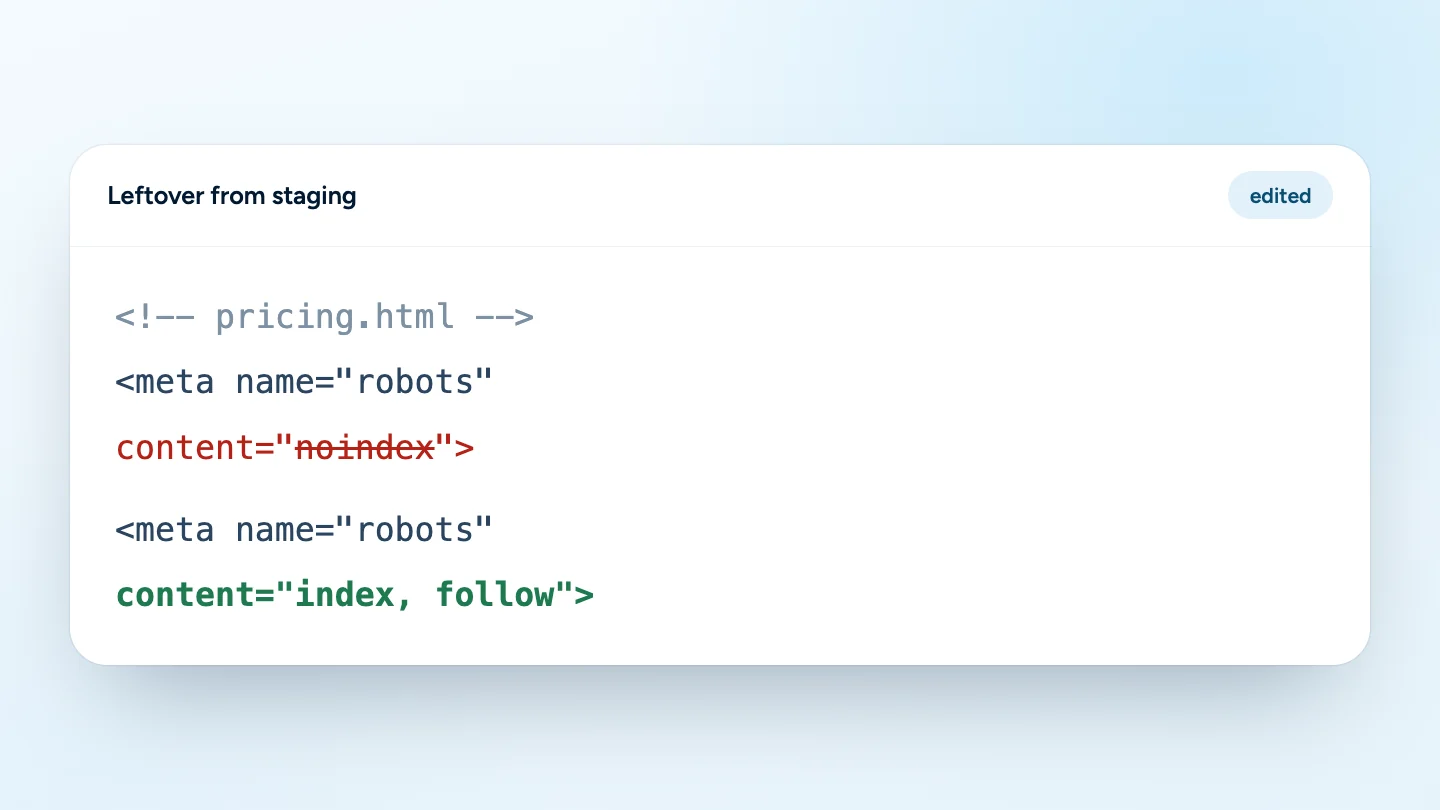
robots.txt controls crawling, not indexing. Google's documentation notes that a blocked URL can still be indexed if other pages link to it. To keep a page out of results, use noindex and let Google crawl it.
Then check that no money page carries a stray noindex tag, often left over from a staging build.
3Clean up canonicals and redirects
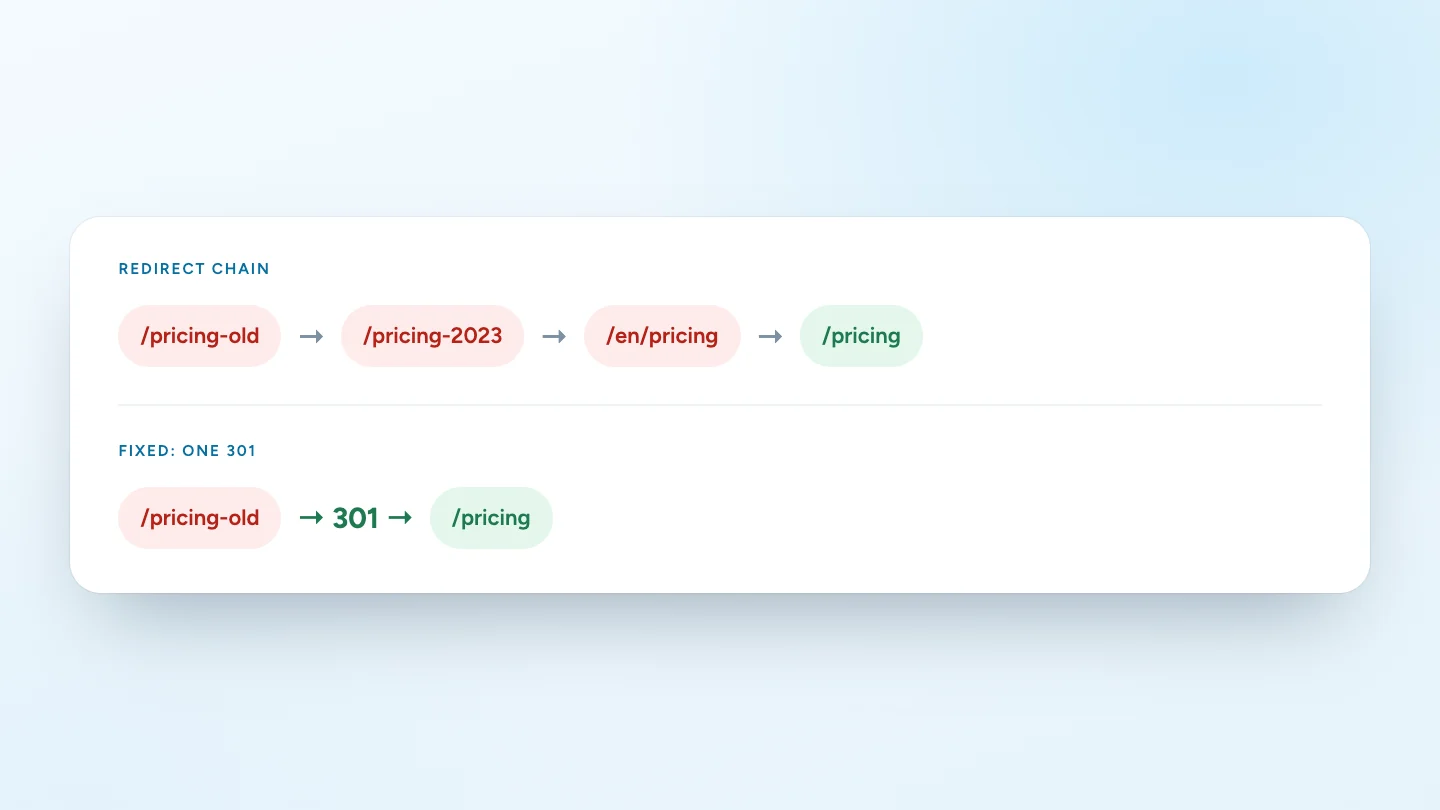
Each page's canonical tag should point to itself or to the one version you want ranked. Google treats canonicals as a hint, so mixed signals let it choose for you.
Replace redirect chains with a single 301 redirect to the final URL, and update internal links so they skip the redirect entirely.
4Submit a sitemap of real pages only
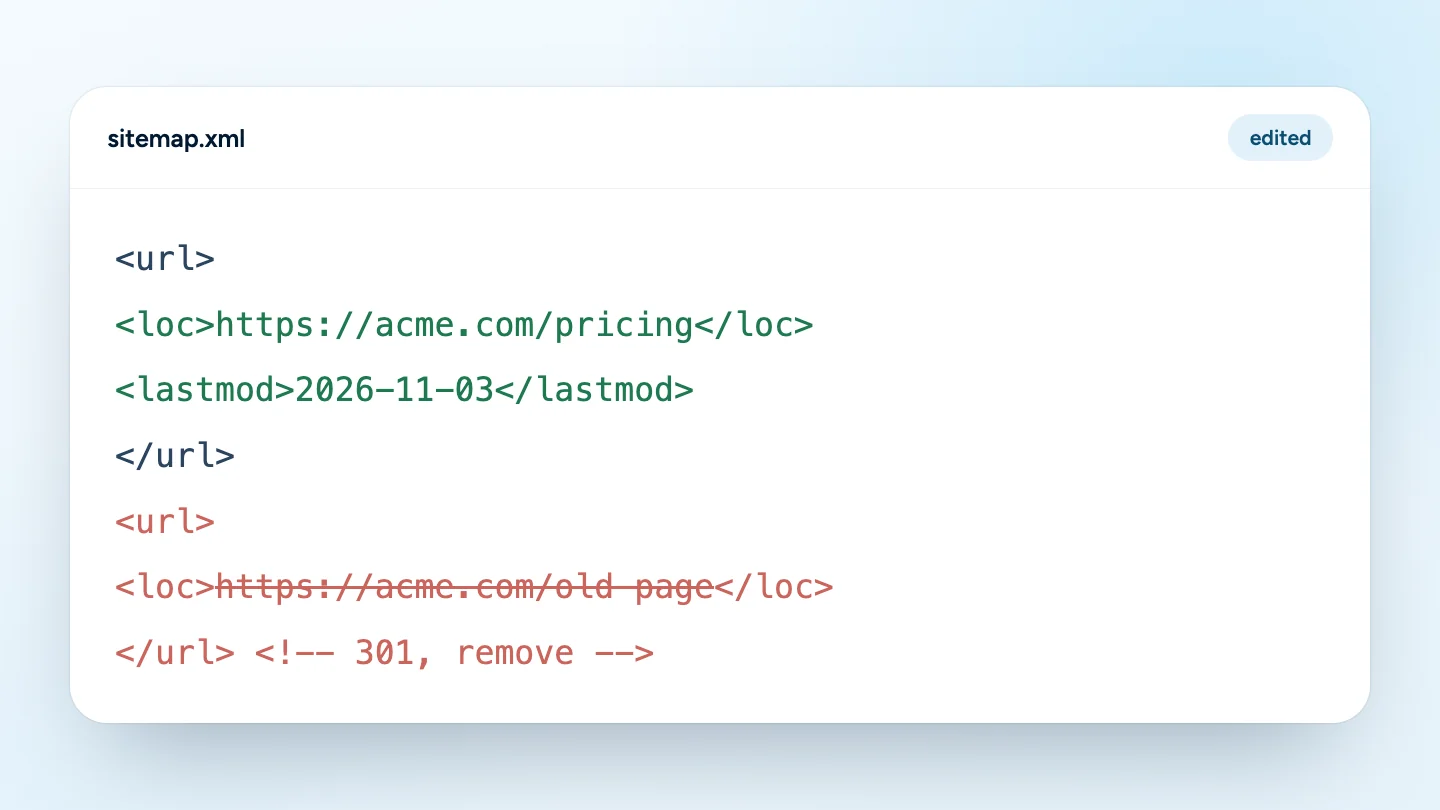
Your XML sitemap should list only canonical, indexable pages that return a 200: no redirects, no noindex pages, no parameter URLs.
Google ignores the priority and changefreq fields, but it does use lastmod when it's accurate. Update it only when the content really changes.
5Pass Core Web Vitals on key templates
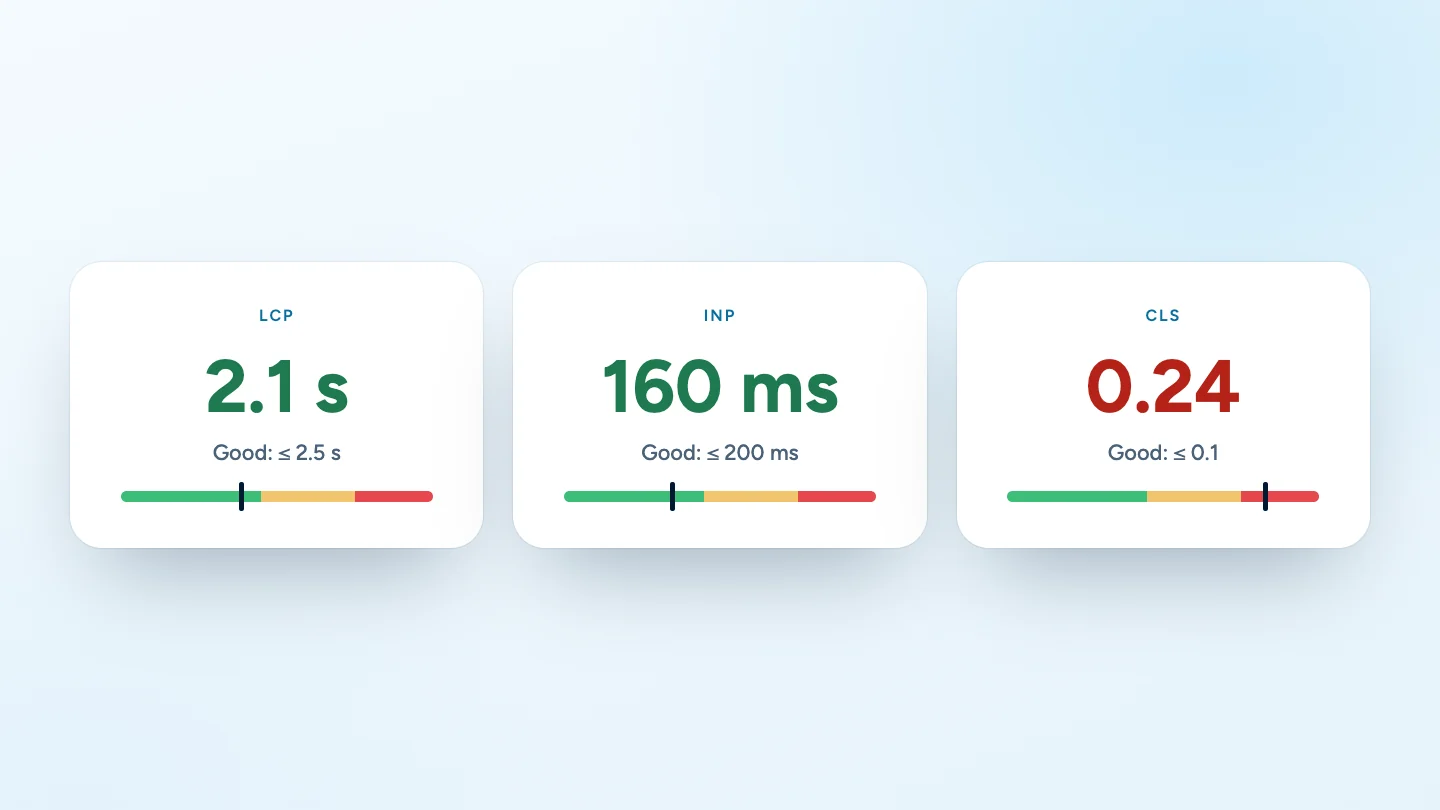
Google's thresholds for a good experience are LCP under 2.5 seconds, INP under 200 milliseconds and CLS under 0.1, at the 75th percentile of real visits. INP replaced FID in March 2024.
Fix by template, not by page: blog, pricing and landing templates carry most traffic. Hero videos, chat widgets and tag managers are the usual suspects. More on Core Web Vitals.
6Keep app, docs and staging out of the index
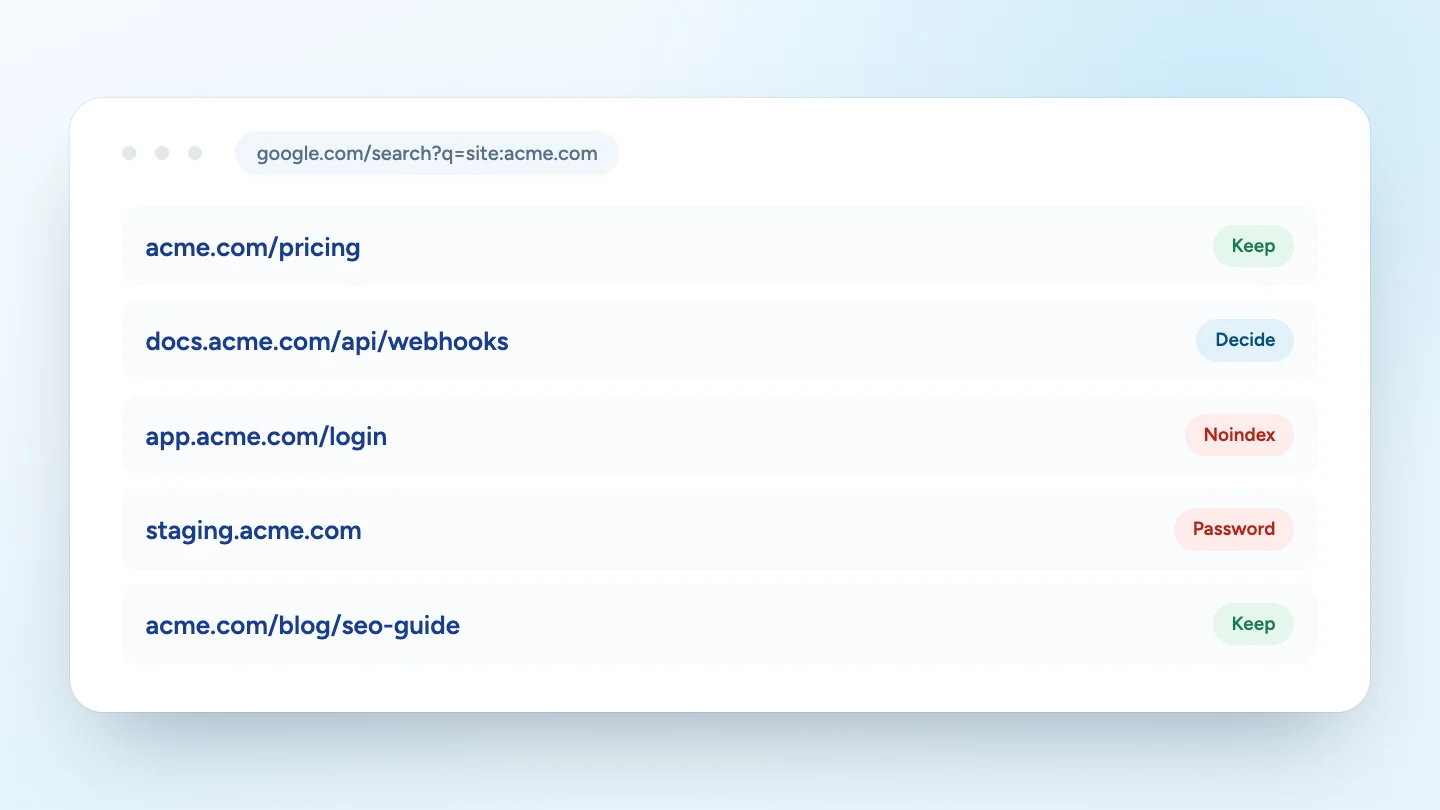
Search site:yourdomain.com and scan for login pages, app URLs and staging copies. Each one competes with your real pages or wastes Google's crawling.
Put staging behind a password, noindex logged-in app pages, and decide on purpose whether docs should rank. Good docs often should.
Google Search Console for technical SEO
Search Console is the only tool that shows how Google itself sees your site. Crawlers estimate; this reports. If you're new to it, start with what Google Search Console is. Three reports cover most technical work.
Page indexing
Watch the trend, not the total. A sudden jump in excluded pages after a release is the earliest warning you'll get.
Crawl stats
You'll find it under Settings. A spike in server errors or slow responses means Googlebot is struggling, and it will crawl less until things recover.
Core Web Vitals
This report groups URLs by template. Fix the group with the most poor URLs first, then validate the fix in the report.
Technical SEO tools worth using
- Google Search Console: indexing, crawling and real-user Core Web Vitals. Free.
- Screaming Frog SEO Spider: crawls your site like a search engine. Free up to 500 URLs.
- PageSpeed Insights: lab and field speed data for any URL. Free.
- Bing Webmaster Tools: the same checks for Bing, which also feeds AI search answers.
Paid suites like Ahrefs or Semrush add scheduled audits and alerts. Useful, but not where to start. Bing matters more than it used to: it's one route to learning how to get cited by ChatGPT.
Find orphan pages and fix internal links
A page with no internal links pointing to it is close to invisible, even if it's in your sitemap. Crawl the site and compare the URLs found by following links with the URLs in your sitemap. Pages that only appear in the sitemap are orphans.
Link every important page from at least two or three relevant pages, with anchor text that says what it's about. Your navigation, blog posts and related-content blocks are the easiest places to add them.
How to prioritise what the audit finds
A crawl can return hundreds of warnings. Most don't matter. Rank each issue by two questions:
- How many pages does it touch? A template bug beats a single broken link.
- How close are those pages to revenue? Pricing, product and comparison pages come first.
- How hard is the fix? Quick wins go to the top of the sprint.
Ship the top five, check the effect in Search Console after a few weeks, then move down the list.
When to run a technical SEO audit
Run a full technical SEO audit before and after any migration, redesign, CMS switch or domain change. That's where most sudden traffic losses start.
Between those, a quarterly pass through this checklist and a weekly look at Search Console are enough for most B2B sites under 10,000 pages.
Technical SEO checklist FAQs
How often should you run a technical SEO audit?
Run a full audit before and after any migration or redesign, and a lighter check every quarter. Watch Search Console weekly in between.
Does crawl budget matter for SaaS sites?
Rarely. Google says crawl budget is mainly a concern for sites with over a million pages, or over 10,000 pages that change every day.
Is technical SEO a one-time project?
No. Every release, plugin and new template can add problems. The big fixes happen once; the monitoring never really stops.
Can you do a technical SEO audit for free?
Mostly, yes. Search Console, PageSpeed Insights and the free version of Screaming Frog cover the core checks for small and mid-size sites.

I help B2B and B2C companies grow non-branded traffic from Google and AI answers: technical SEO, programmatic SEO and content strategy, done hands-on. Based in Mendoza, Argentina, working with teams in the US and LATAM.
Connect on LinkedIn